
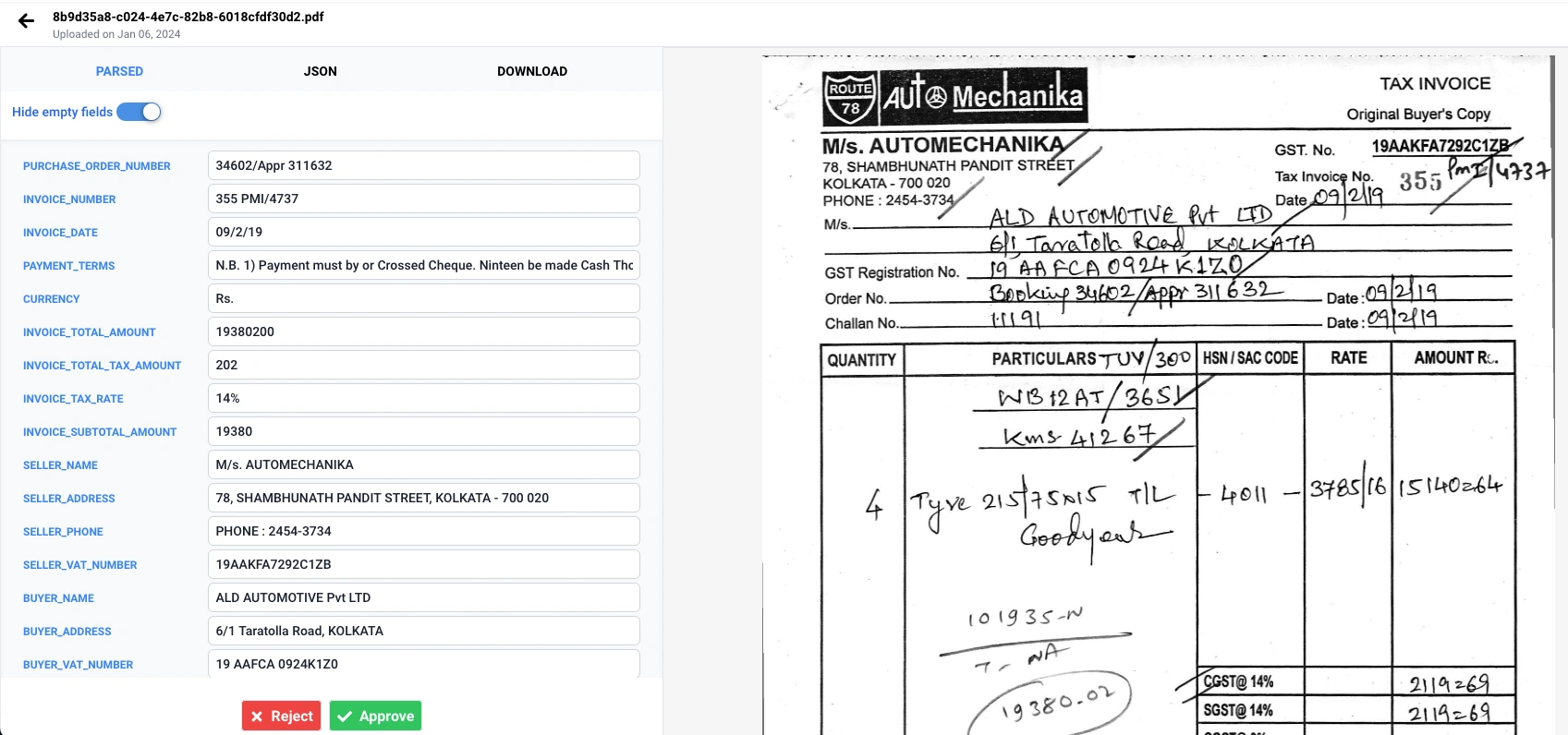
Your customers already send documents into your platform — invoices into your AP module, purchase orders into your order flow, tax forms into your onboarding. Then they retype what's in them. Sooner or later the feature request lands on your roadmap in some form of "can't the system just read these?"
This guide is the implementation answer. It walks through how to add document extraction to your SaaS product using an extraction API: the architecture, the actual integration code, asynchronous processing with webhooks, multi-tenant metering, and the review UX that makes customers trust the output. If you're still weighing whether to build the extraction layer yourself, read Build vs Buy: Document Extraction for Your Platform first — this guide assumes you've decided not to spend two engineers' next two quarters on OCR edge cases.
1. Where Extraction Sits in Your Architecture
Document extraction slots into a pipeline you mostly already have:
- Ingest — your existing upload path: a file input in your UI, an email-in address, an import job, or your own API.
- Extract — send the file to the extraction API; get back structured fields with confidence scores.
- Review — fields above your confidence threshold flow straight through; the rest wait for a human in your product's UI.
- Commit — validated data lands in your data model and triggers whatever your product does next: match the invoice, create the order, populate the return.
The only genuinely new architectural decision is synchronous vs asynchronous:
- Synchronous — the user uploads one document and waits a few seconds for fields to appear. One request, one response. Right for interactive flows.
- Asynchronous — documents arrive in batches or by email, you enqueue extraction and move on, and a webhook updates the document's status when results are ready. Right for imports and any volume beyond one-at-a-time.
Most platforms end up with both: synchronous for the drag-and-drop case, asynchronous for everything else. The code below covers each.
2. Step 1 — Wire Your Upload Path to the Extraction API
Start with the simplest possible round trip. DocumentPro accepts a document as multipart/form-data and returns structured JSON — scanned PDFs, photos, and digital PDFs all go through the same endpoint, so there is no OCR pre-step to build.
curl -X POST https://api.documentpro.ai/v1/extract \
  -H "Authorization: Bearer $DOCUMENTPRO_API_KEY" \
  -F "file=@invoice.pdf"
{
  "fields": {
    "invoice_number": { "value": "INV-2026-0187", "confidence": 0.99 },
    "invoice_date":   { "value": "2026-06-28",    "confidence": 0.98 },
    "vendor_name":    { "value": "Acme Supplies Ltd", "confidence": 0.97 },
    "total_amount":   { "value": 4250.0,          "confidence": 0.96 },
    "line_items":     [ ... ]
  }
}
In your product, this call belongs in the service that already handles the uploaded file — not in the browser. Keep your API key server-side, and store the raw response next to the file so you can re-render or re-validate later without re-processing.
// Node.js — inside your existing upload handler
const FormData = require('form-data');
const axios = require('axios');

async function extractDocument(fileStream, tenantId) {
  const form = new FormData();
  form.append('file', fileStream);

  const { data } = await axios.post(
    'https://api.documentpro.ai/v1/extract',
    form,
    {
      headers: {
        ...form.getHeaders(),
        Authorization: `Bearer ${process.env.DOCUMENTPRO_API_KEY}`,
      },
    },
  );

  // Persist alongside your own record, tagged by tenant
  await db.documents.update({
    tenantId,
    extractedFields: data.fields,
    status: needsReview(data.fields) ? 'needs_review' : 'extracted',
  });

  return data.fields;
}
That status field is doing important product work — more on it in Step 4.
3. Step 2 — Route on Confidence, Don't Just Display It
Every field comes back with a confidence score. The mistake teams make is showing the score to users and calling it a day. Confidence is a routing signal:
const AUTO_ACCEPT = {
  invoice_number: 0.9,
  total_amount: 0.95, // money: be strict
  vendor_name: 0.85,
  invoice_date: 0.9,
};

function needsReview(fields) {
  return Object.entries(AUTO_ACCEPT).some(
    ([name, threshold]) => (fields[name]?.confidence ?? 0) < threshold,
  );
}
- Above threshold → commit the value silently. The customer sees a filled-in form, not an AI feature.
- Below threshold → the document enters a
needs_reviewstate, and your UI highlights exactly the uncertain fields with the original document alongside.
Set thresholds per field by the cost of being wrong: an incorrect total_amount creates real damage; a slightly-off vendor_name is an annoyance. Start strict, then loosen as you watch correction rates.
4. Step 3 — Go Asynchronous with Webhooks
When documents arrive by email-in or bulk import, don't hold requests open. Submit for processing and let a webhook bring the result back:
# Python — webhook receiver for completed extractions
from flask import Flask, request

app = Flask(__name__)

@app.route("/webhooks/documentpro", methods=["POST"])
def extraction_completed():
    event = request.get_json()

    doc_id = event["metadata"]["internal_document_id"]  # you set this on submit
    fields = event["fields"]

    update_document(
        doc_id,
        extracted_fields=fields,
        status="needs_review" if needs_review(fields) else "extracted",
    )
    return "", 204
Three habits keep this robust in production:
- Pass your own IDs through as metadata on submission, so the webhook can find its document without guessing.
- Make the handler idempotent — webhooks can be delivered more than once; updating the same document twice must be harmless.
- Reconcile on a schedule — a nightly job that re-checks any document stuck in
processingprotects you from the webhook you didn't receive.
See the DocumentPro documentation for the full API reference, including batch submission and webhook configuration.
5. Step 4 — Design for Multi-Tenancy from Day One
You're not adding extraction for one customer; you're adding it for all of them. Three things to build into the first version:
- Tenant tagging. Every extraction request carries your internal tenant ID (in metadata, as above). Every stored result is tenant-scoped like the rest of your data.
- Usage metering. Count documents (or pages) per tenant in your own usage table. That's what lets you put extraction into your pricing — included allowances on higher tiers, overage billing beyond them — and see which customers actually use the feature. Reconcile your counts against the provider's usage reporting monthly.
- Per-tenant schemas where it matters. Most tenants extracting invoices want the same fields. But if your platform serves multiple document types — invoices for some customers, tax forms for others — map tenant → extraction schema in configuration, not code, so onboarding a new document type is a config change. DocumentPro's tax-form templates, for example, cover W-2s and the full 1099 series without any schema work on your side.
6. Step 5 — Ship the Review UX, Not Just the API Call
The difference between "we have AI extraction" and a feature customers rely on is the review flow. The pattern that works:
- A document list with clear states: Processing → Needs review → Confirmed.
- The review screen shows the document image on one side and extracted fields on the other, with low-confidence fields highlighted first.
- One keystroke to accept a field, inline editing to correct it, one action to confirm the document.
- Corrections are stored. Even if you never train on them, they tell you which fields deserve tighter thresholds and which vendors send problem documents.
This is a few days of frontend work, and it's what makes the automation trustworthy enough that customers stop re-checking every value — which is the outcome they're paying for.
7. What You Still Own (and What You Don't)
With the extraction layer bought rather than built, the division of labor looks like this:
The API absorbs: OCR for scans and photos, layout variation across thousands of issuers, multi-page stitching, field validation and normalization, confidence scoring, new-model upgrades, the long tail of formats that breaks DIY pipelines.
You own: the upload UX, the review flow, tenant metering, and what happens to the data after it's confirmed — which is exactly the part that differentiates your product.
That split is why the integration is a two-week project instead of a two-quarter one. The build-vs-buy cost breakdown runs the numbers if you need to make that case internally.
8. A Realistic Integration Timeline
For one engineer, against an existing upload path:
- Days 1–2: API key, first successful extraction in the sandbox, decide sync vs async per flow.
- Days 3–5: Wire the upload handler, persist results, implement confidence routing and document states.
- Days 6–8: Webhook receiver, idempotency, reconciliation job, tenant tagging and metering.
- Days 9–12: Review UI: states, highlight-and-correct, confirm action.
- Days 13–14: Threshold tuning against a batch of real customer documents; ship behind a feature flag to a pilot tenant.
Frequently Asked Questions
How do I add document extraction to my SaaS product? Wire your existing upload path to a document extraction API, store the returned structured fields alongside the file, and add a review state for low-confidence extractions. With a purpose-built API like DocumentPro there is no model training or OCR pipeline to build — most platform teams ship a production integration in one to two weeks.
Should I process documents synchronously or asynchronously? Use synchronous extraction when a user is waiting on a single document — the result comes back in one request. Use asynchronous processing with webhooks when documents arrive in batches, by email, or through background imports; your platform stays responsive and the webhook updates the document's status when extraction completes.
How do I handle extraction errors and low-confidence fields in my product? Treat confidence scores as a routing signal, not a pass/fail. Auto-accept fields above your threshold (0.85–0.95 depending on the field's risk), queue the rest for human review in your product's UI, and record corrections. This gives customers a trustworthy workflow instead of silent errors.
How long does it take to integrate a document extraction API? The first extraction call typically works within an hour. A production feature — upload wiring, webhook handling, a review state, and usage metering — is a one-to-two-week project for one engineer. Building the same capability in-house takes months, mostly spent on OCR edge cases and layout variation.
How should a multi-tenant platform meter document extraction usage? Tag every extraction request with your internal tenant ID, count pages or documents per tenant in your own usage table, and reconcile against your API provider's usage reporting. This lets you enforce plan limits, bill overages, and see which customers get value from the feature.
Do I need to build OCR before I can use a document extraction API? No. A purpose-built extraction API handles OCR internally — scanned PDFs, photos, and digital PDFs go through the same endpoint and return the same structured fields. Building or hosting your own OCR step is only necessary in unusual on-premise or air-gapped environments.
Conclusion
Adding document extraction to your SaaS is not an AI project — it's an integration project with a review UX attached. Your upload path already exists; the extraction API returns structured, confidence-scored fields; your job is routing, states, and metering. One engineer, one to two weeks, and the feature your customers keep asking for stops being a roadmap item.
DocumentPro is built for exactly this integration: no template training, validated JSON with confidence scores, webhooks for batch processing, and templates for invoices, purchase orders, and tax forms out of the box. Get an API key and run your first extraction today, or talk to us about your platform's document types.
Also Read: Document AI API: The Developer Guide | Build vs Buy: Document Extraction for Your Platform